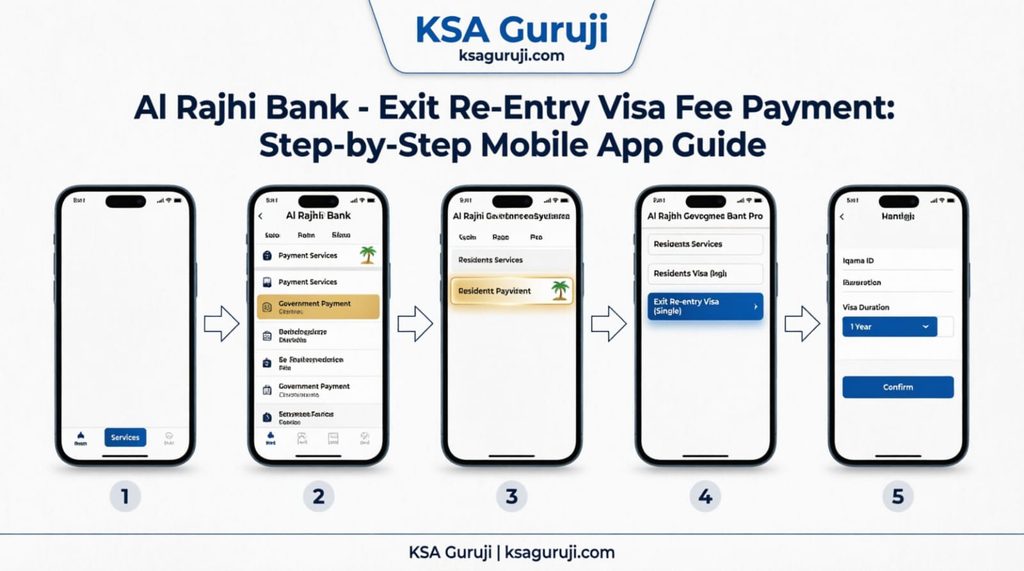
Navigating visa regulations in Saudi Arabia can sometimes feel overwhelming, but paying your Exit Re-Entry visa fees doesn’t have to be. If you are an expatriate planning a vacation or a visit back home, ensuring your visa is valid and paid for is the most critical step.
Fortunately, the Al Rajhi Bank app makes this process quick, secure, and entirely digital. In this guide, we will walk you through exactly how to check your status and pay your Exit Re-Entry visa fees in just a few minutes.
📋 What You Need Before You Start
Before opening the app, make sure you have the following ready:
- A valid Iqama (Residence Permit).
- The Al Rajhi Bank mobile app installed and logged in.
- Sufficient balance in your account to cover the visa fees.
- Access to the Absher or Muqeem platform (to verify your visa status first).
🔍 Step 1: Check Your Exit Re-Entry Status First
Pro Tip: Always check your current visa status before making any payment to avoid duplicate charges or system errors.
- Log in to the Absher portal (individuals) or the Muqeem website.
- Navigate to “Inquiry Services” > “Passport” or “Exit Re-Entry Visa”.
- Enter your Iqama number and verify the details.
- Note down your current visa validity and the exact fee amount due.
📱 Step 2: Pay the Fee via the Al Rajhi Bank App
Once you have confirmed the amount, follow these simple steps to pay:
Step 1: Open the Al Rajhi Bank app on your smartphone and log in securely.
[💡 Insert screenshot of the Al Rajhi App home screen here]
Step 2: Tap on “Payments” from the main dashboard.
Step 3: Select “Government Payments” from the list of options.
Step 4: Choose “Ministry of Interior” as the government entity.
[💡 Insert screenshot of the Ministry of Interior selection here]
Step 5: Select “Exit Re-Entry Visa” from the services list.
Step 6: Enter your Iqama Number and the Visa Number (if prompted). The app will automatically fetch your due amount.
Step 7: Review all the details carefully. Ensure the name and Iqama number match your records.
Step 8: Tap “Confirm” or “Pay”, and authorize the transaction using your OTP or biometric verification.
[💡 Insert screenshot of the final payment confirmation screen here]
✅ Step 3: Verify Your Payment
After the transaction is successful:
- You will receive an SMS confirmation from Al Rajhi Bank.
- A digital receipt will be generated in the app. Save or screenshot this receipt for your records.
- Wait a few minutes, then log back into Absher or Muqeem to confirm that your Exit Re-Entry visa status has been updated to “Paid” or “Active”.
⚠️ Common Mistakes to Avoid
- Paying without checking Absher first: Sometimes, your sponsor (Kafeel) may have already paid the fee. Always check first!
- Ignoring the expiry date: Ensure you pay the fee before your current visa or Iqama expires to avoid hefty fines.
- Using the wrong service: Make sure you select “Exit Re-Entry” and not “Final Exit” or “Visit Visa,” as the fees and rules are completely different.
💬 Need More Help?
We hope this guide made your visa payment process smooth and stress-free!
At KSA Guruji, we are dedicated to making your life in Saudi Arabia easier. If you found this guide helpful, please share it with your friends and colleagues who might need it.
Have a question about KSA visas, labor laws, or daily life?
👉 Drop a comment below, or reach out to us via our Contact Page.
Stay updated with daily KSA hacks and news!
Follow us on social media for quick tips and video tutorials:
🐦 X (Twitter): @ksaguruji
📸 Instagram: @ksa.guruji
🎵 TikTok: @ksa.guruji